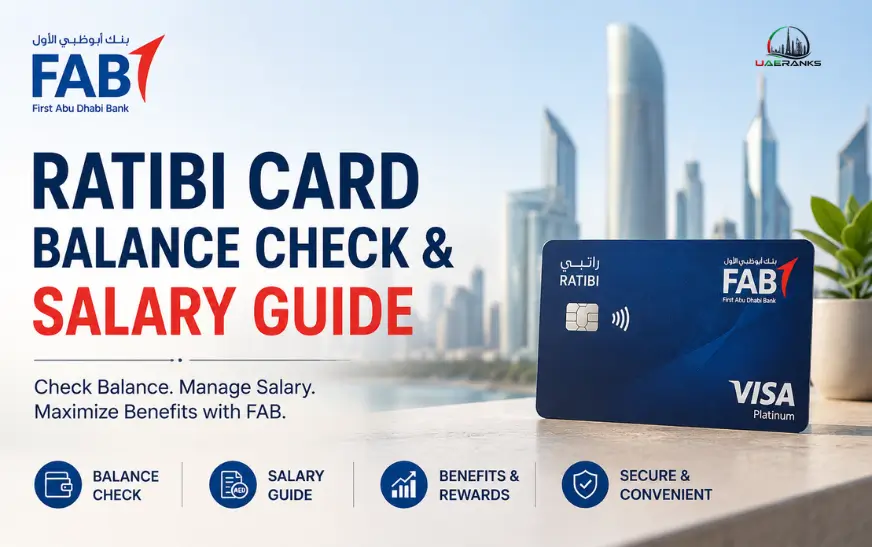

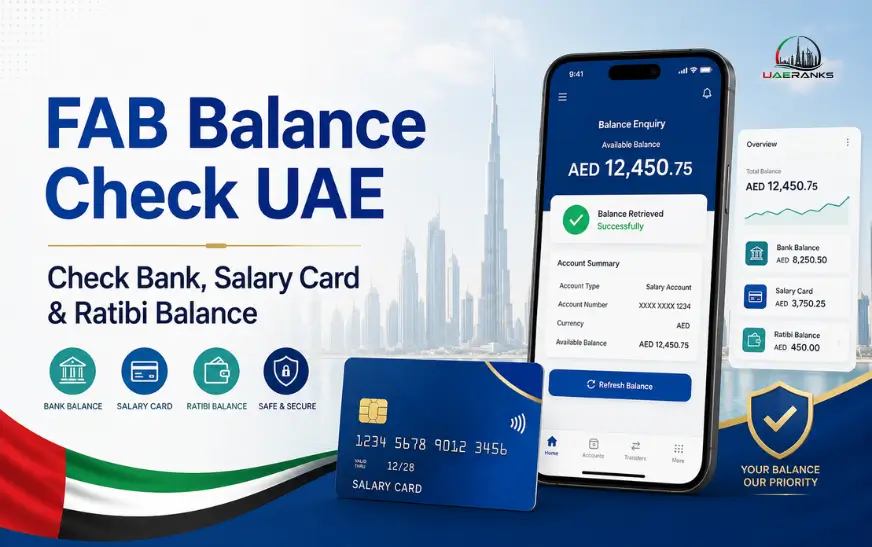
Making an FAB checking your balance is easy when you know what kind and card type you hold. First Abu Dhabi Bank customers can have a regular bank account such as a debit card, Salary account Ratibi pay card, or a different debit card. Each product is equipped with an entirely different balance inquiry procedure.
Regular customers of banks can typically access their account balances via FAB Mobile, personal online banking, or through an ATM. Ratibi and other prepaid card holders can access the official prepaid-card inquiry portal. Customers who are unable to access online services may utilize an ATM or contact the FAB customer service team.
This guide provides the primary FAB method of checking balances in banks that will be available within the UAE in 2026. This includes mobile, online pay card, salary card, and ATM options.
FAB Balance Check Methods at a Glance
Select the method that is compatible with your account or card
- FAB current, savings or salary account: Use FAB Mobile or personal online banking.
- FAB debit card: Use FAB Mobile, online banking or a supported ATM.
- Ratibi salary card: Use the official Ratibi prepaid-card balance enquiry portal.
- Other supported FAB prepaid card: Use the prepaid-card enquiry service or an ATM, depending on the card.
- LuLu Money salary card: Check the LuLu Money app rather than assuming it uses the FAB portal.
- No internet access: Use a FAB ATM or call the appropriate customer-care number.
Identification of your product is the first step to avoid issues with login and also reduces the chance of entering your card information on a website that is not the correct one.
Know Your FAB Account or Card Type
A standard FAB bank account differs from a prepaid prepaid for payroll. Customers who have a current saving or salary bank account usually are able to access FAB electronic banking. The funds from their salary or other accounts are directly deposited into the bank account linked to an account’s number and in the event of a need it is a debit card.
Ratibi is different. It’s a prepaid payroll card that enables eligible employees to get their wages without opening the traditional bank account. FAB says that Ratibi is specifically designed for workers who earn up to AED 5 000. It is compatible with SMS alerts to salary-credit employees and is available in shops, ATMs, as well as online merchants with a supported program.
Before you begin the FAB Balance Check on a salary card take a look at the name that appears in the credit card. Find out if it’s an Ratibi card or one of the FAB debit card a different FAB prepaid card, or a card issued by another salary-payment company.
How to Check FAB Bank Balance Through FAB Mobile?
FAB Mobile is often the most practical alternative for those with an existing FAB account. It lets users manage their accounts as well as debit and credit cards, see balances, and track transactions.
To perform an FAB Balance check on the web using the application:
- Install the FAB Mobile official application via your device’s authorized app store.
- Sign in or register using your bank credentials that you have been approved to use.
- Perform any security verifications requested by the application.
- Log in to the account section of your home page.
- Choose the current account such as savings, salary or.
- Examine the balance displayed as well as recent transactions.
- Sign out if you are using an device that others have access to.
The balance that is available could differ from the balance of your account in the event that a transaction or transfer is still in the process. Inspect the latest transaction section to determine if the balance appears less than what you expected.
FAB also says that customers are able to access their accounts as well as cards via FAB Mobile outside the UAE in the event that they have Wi-Fi access or a compatible roaming data connection.
How to Complete a FAB Bank Balance Check Online?
Users who have signed up for online personal banking can check their balance on FAB’s official website.
Follow these steps in general order:
- Go to your account on the Official First Abu Dhabi Bank UAE website.
- Choose the option for logging into your personal bank account.
- Enter your username and password.
- The login or transaction must be approved using the appropriate security process.
- Choose the account with the balance you wish to see.
- Review the balance available as well as the latest activity.
FAB currently requires digital-banking registered users to authorize online banking transactions via FAB Mobile.
Beware of opening your online banking via links in unidentified emails or text messages, or through social media ads. Input the bank’s official email name directly into the browser, or create a secure bookmark.
FAB Salary Card and Ratibi Balance Check Online
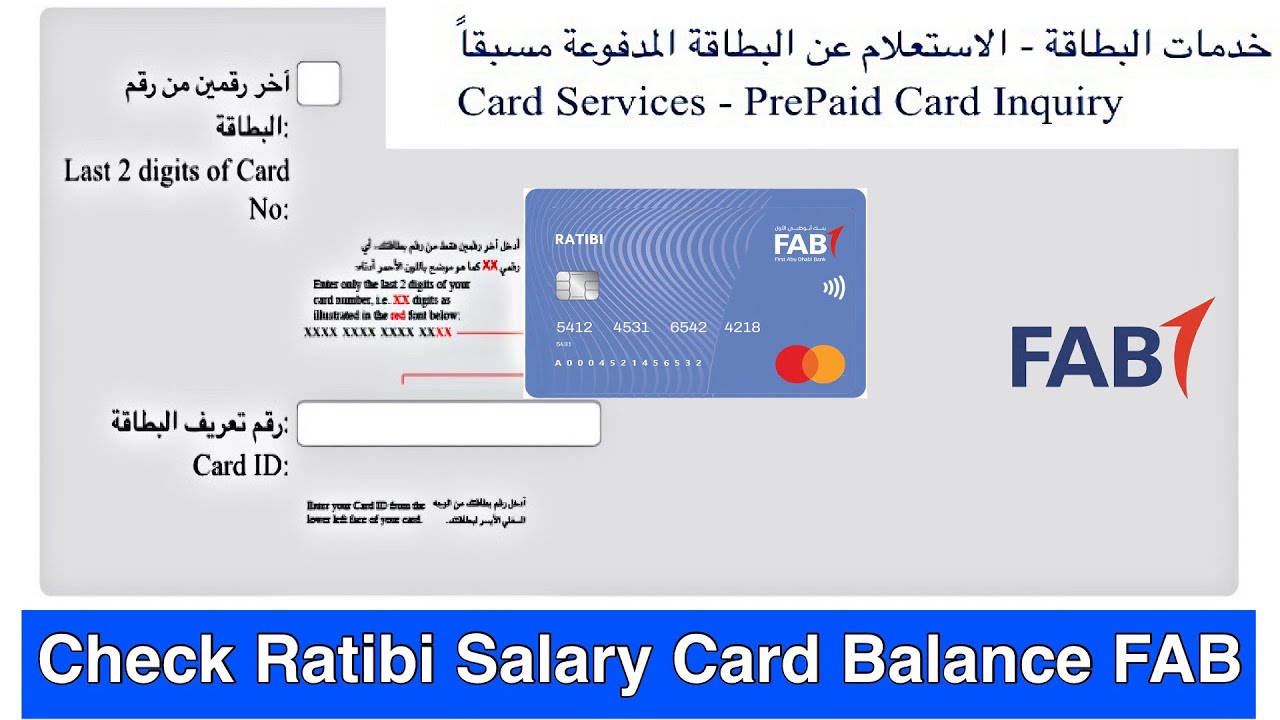
Ratibi cardholders don’t need to sign up to the FAB’s regular FAB online banking in order to conduct an easy balance inquiry. FAB redirects current Ratibi clients to the linked balance inquiry service.
To conduct an FAB balance check at Ratibi:
- Go to FAB Ratibi’s page of the official FAB Ratibi product page.
- Choose the Ratibi balance inquiry option for prepaid cards.
- Enter the four digits that make up the last four of the card number.
- Enter the Card ID that is displayed on your card.
- Enter in the CAPTCHA security number.
- Choose an option that allows you to proceed.
- Examine the balance information shown.
The form for prepaid enquiries currently requires the card number’s four last digits, the card’s ID, and the CAPTCHA. The form does not require users to enter their entire card’s PIN to make the inquiry.
Make sure you have each number checked before you submit the form. A few mistakes could make it impossible for the request to be successful.
How to Check Whether Your FAB Salary Has Arrived?
A balance check will tell you the amount of cash available, and an income check confirms that an individual salary payment was credited.
To check your salary:
- Check your balance by using FAB Mobile, online banking or the prepaid inquiry portal.
- Check the latest transactions or account-activity section if it is available.
- Find an entry that shows the salary deposit paid by the employer.
- Check the credit date against your usual salary date.
- Make sure you check any SMS containing salary-credits received at your registered mobile number.
Ratibi comes with SMS notifications to credit for salary, as per FAB’s official product details.
A lower balance doesn’t necessarily mean that your pay isn’t there. Payments for purchases, ATM withdrawals, transfers standing instructions, or other payments could reduce the amount that is available after the salary was paid.
If there is no credit for salary First, verify by contacting your company that the payroll was received. Contact FAB when your employer confirms it was made but it’s not showing.
FAB ATM Balance Check
ATMs are a great alternative if you are unable to access either the Internet or smartphone application.
To conduct an FAB ATM balance check:
- Go to the FAB ATM or any ATM that accepts credit cards.
- Tap or insert the card in the manner instructed.
- You can enter your pin while you cover the keypad.
- Choose “Balance Enquiry” or a similar choice.
- Choose the correct account when you are asked.
- Check your balance screen, or request an invoice.
- Make sure you collect your receipt and card prior to leaving.
Ratibi cards are accepted in shops, ATMs and online merchants that are supported. However an alternative bank’s ATM might show a service fee. Check any fees displayed on the screen prior to continuing.
Never give assistance to anyone who requests to hold your card, type in your PIN, or duplicate the transaction.
FAB Customer Care and Balance Enquiry Numbers
FAB provides different contact information for banking services, including general as well as Ratibi services.
For general FAB banking assistance:
- Within the UAE: 600 52 5500
- Outside the UAE: +971 2 681 1511
In need of Ratibi assistance:
- Within the UAE: 600 522 298
- Outside the UAE: +971 2 499 6279
The numbers specific to Ratibi are listed on the current contact page of FAB. General customer contact numbers are accessible 24/7.
Customer service representatives can ask you questions to verify your identity. But, you shouldn’t divulge your entire card’s PIN or OTP to a phony caller.
FAB ATM and Branch Locations in the UAE
The following branches and ATM locations are listed in FAB’s official branch-and-ATM locator. Availability, services and opening hours may change, so visitors should verify their nearest location before travelling.
| FAB Branch or ATM | Location |
|---|---|
| Abu Dhabi Mall Branch – 2 ATMs | Abu Dhabi |
| Bateen Branch – 3 ATMs | Abu Dhabi |
| Corniche Branch – 2 ATMs | Abu Dhabi |
| Dalma Mall Branch – 2 ATMs | Abu Dhabi |
| Musaffah Branch – 4 ATMs | Abu Dhabi |
| Reem Mall Digital Branch | Abu Dhabi |
| Yas Mall Branch – 3 ATMs | Abu Dhabi |
| Zayed International Airport ATM | Abu Dhabi |
| Bawadi Mall ATM | Al Ain |
| Abu Baker Al Siddique Branch – 5 ATMs | Dubai |
| Bur Dubai Branch – 6 ATMs | Dubai |
| Mall of the Emirates Branch – 3 ATMs | Dubai |
| Mirdif City Centre Branch – 2 ATMs | Dubai |
| Rolex Tower Branch – 2 ATMs | Dubai |
| Matajer Mall ATM | Sharjah |
| Fujairah Branch – 2 ATMs | Fujairah |
| Ras Al Khaimah Corniche Branch – 3 ATMs | Ras Al Khaimah |
| ADNOC Al Reqayeb ATM | Ajman |
Customers can use FAB’s official locator to search by current location and check whether a site offers ATMs, cash deposits, teller services or digital-only banking.
FAB Balance Not Showing: Common Reasons
Your FAB balance online check can occasionally fail, or display an unanticipated amount. The most common reasons are:
Incorrect details for a prepaid card
Make sure you typed in the correct card numbers and the correct Card ID. Check that you entered the CAPTCHA was correctly entered as it appears on the screen.
Salary-processing delay
The employer might have not yet submitted its payroll data or the payment could still be in the process of processing. Check the expected date for credit by contacting the company.
Transactions made with credit cards
Recent purchases can reduce the amount of money available to pay for the transaction is considered to be fully completed.
Outdated FAB Mobile app
Install the update through an official application store. FAB suggests updating the app or retrying in the future if users encounter issues with logins or system maintenance.
A mobile number that is registered incorrectly
A phone number that is not current can stop the recipient from getting security messages or alerts about salary-credits. Customers who are eligible can change their the information on their phone by contacting FAB Mobile.
Card that is blocked, expired or damaged
Call FAB, or contact the Ratibi support team if your card cannot be used in multiple ATMs or with merchants.

LuLu FAB Salary Card Balance Check Online
Some users search for “LuLu FAB salary card balance check,” however it is important to note that a LuLu Money card shouldn’t necessarily be regarded as an Ratibi card.
Make sure to verify the issuer’s name is that is printed across the back of your card. LuLu Money directs its cardholders to access LuLu Money’s LuLu Money app and select “LuLu Money Cards” or “My Cards” to see the balance available.
Make use of the FAB card portal only when the card’s documentation or the official website of FAB will direct you to this service.
Security Tips for FAB Balance Enquiry
Take these steps when you are you are checking the balance of the balance on a FAB account or a balance on a prepaid-card:
- Only use FAB Mobile, the original FAB web site. FAB Mobile apps or associated site for prepaid cards.
- Never share your PIN password CVV, PIN or OTP.
- Don’t send photos of the back and front of your card.
- Beware of banking on Wi-Fi in public areas.
- Do not install screen sharing or remote access software upon a contact’s request.
- Check the transaction activity frequently.
- Contact FAB immediately if you spot an unusual transaction.
- Close the browser when using an shared device.
FAB specifically warns users not to disclose card account, account or OTP information to those who call them. The FAB also warns consumers not to download applications to grant remote access or assign beneficiaries in responses to unwelcome phone calls and messages.
Conclusion
The proper FAB balance check procedure is dependent on the kind of financial product that you own. Regular customers with a bank account can utilize FAB Mobile, personal online banking, or an ATM. Ratibi salary card holders can access the official prepaid card enquiry portal by entering the card’s last four numbers, the Card identification number and also CAPTCHA.
If a paycheck is not being paid you should check the recent salary and transaction notifications before calling the employer, or FAB. In the end, make sure you secure your credit card information and use only authorized digital channels.
FAQ’s
1. How do I find my FAB balance on the internet?
Utilize FAB Mobile or personal online banking for regular accounts. Ratibi customers must go to the official prepaid balance inquiry portal.
2. How can I verify the balance of my Ratibi credit card’s balance?
Access the Ratibi balance enquiry service, and enter the card’s last four numbers including the Card ID, CAPTCHA and.
3. Can I verify the balance on a FAB salary card with only the number?
The official portal for prepaid cards requires a Card ID as well as CAPTCHA, and not just the card number.
4. Do I have the ability to see my FAB balance on the internet?
Yes. You can use a bank that supports ATMs or call the FAB customer service.
5. What can I do to determine if my FAB pay was creditable?
Verify your transactions in the past and also the salary-credit notification. Ratibi users might get an SMS when their salary is paid.
6. What is the reason my FAB balance lower than what I would have expected?
Credit card purchases ATM transfer, withdrawals and automatic payments as well as ongoing transactions could have reduced the amount available.
7. Can I make use of FAB Mobile outside the UAE?
Yes. FAB states that registered customers can access their accounts and credit cards via wireless data or roaming outside the UAE.
8. Which is what is the FAB Ratibi customer-care number?
Contact us at 600 522 298 in the UAE or +971 2 62779 from outside the UAE.
9. How do I locate an FAB ATM in my area?
Make use of FAB’s official branches and ATM locator on FAB’s website, or on their contact page.
10. Can I verify the LuLu Money card through FAB? FAB portal?
Not immediately. LuLu Money customers are directed towards the “LuLu Money Cards” or “My Cards” section of the LuLu Money application.